
Download FreeZ Online TV – Watch 500+ Free Online TV Channels on Windows, Mac, Android & iOS
Discover the Ultimate Free Online TV Experience with FreeZ Online TV
Looking for a way to ditch traditional cable and enjoy live TV without a subscription? FreeZ Online TV offers a straightforward solution: access to over 500 online TV channels—all completely free. Whether you're into sports highlights, international news, children’s programming, or live weather forecasts, this software delivers a diverse selection of content from around the globe. With no monthly fees, no hidden charges, and no need to create an account, FreeZ Online TV is one of the most accessible tools for live streaming enthusiasts.
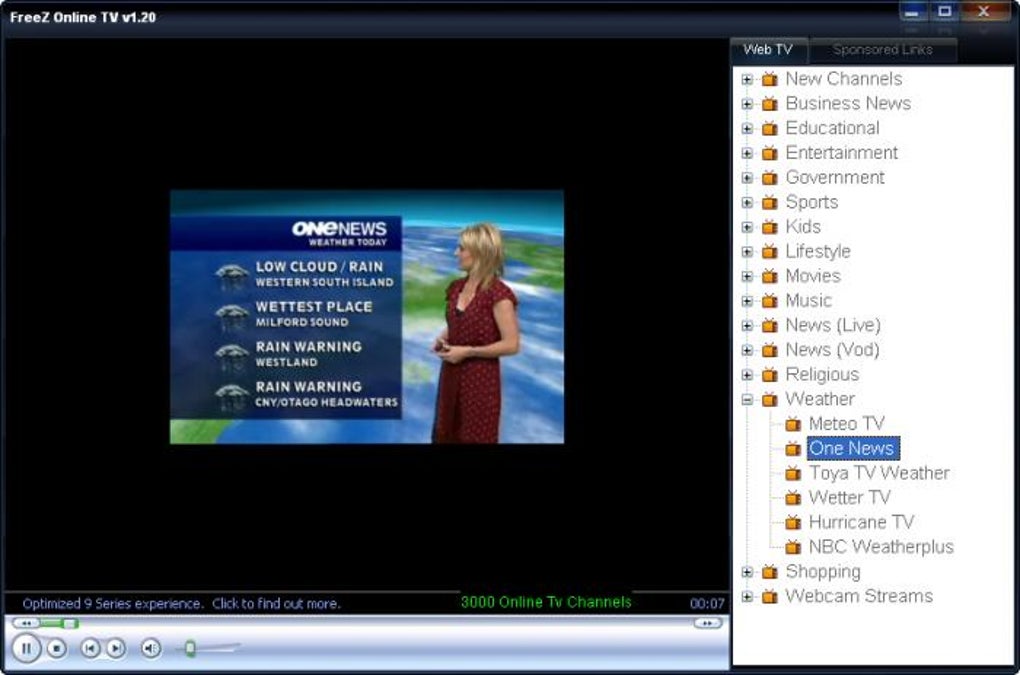
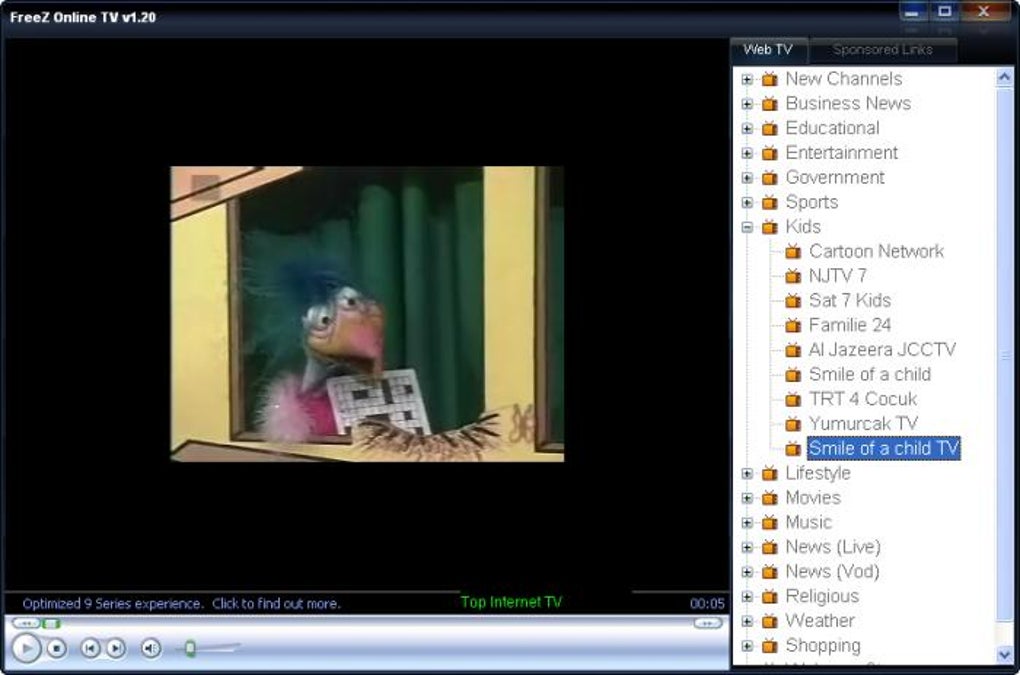
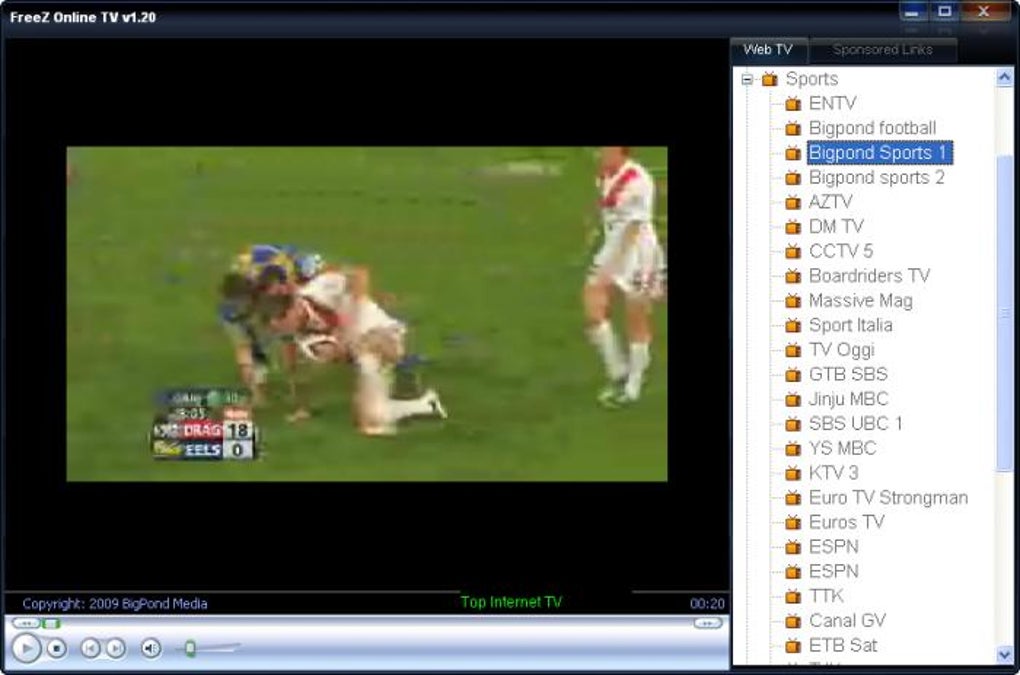
Designed for simplicity, FreeZ Online TV runs smoothly on both Windows and Mac operating systems, with mobile versions available for Android and iOS. The interface is clean and intuitive, allowing users to browse channels by category—such as sports, news, government, movies, shopping, and more. While the app lacks country or language filtering, which can make discovering content in your preferred language a bit of a trial-and-error process, the sheer volume of available channels makes it a compelling option for global viewers.
One of the biggest advantages of FreeZ Online TV is its zero-cost model. Unlike subscription-based platforms like Netflix or Hulu, this software requires no payment to use. It’s ideal for users who want to explore international broadcasts, follow live events, or simply enjoy a change from local programming. The software is lightweight and doesn’t consume excessive system resources, making it suitable even for older devices. However, keep in mind that since the channels are hosted externally, their availability depends on third-party servers, which may go offline without notice.
Key Features & Benefits of FreeZ Online TV
- Access to over 500 live online TV channels from around the world
- Organized by categories: sports, news, children, movies, weather, business, government, and shopping
- Free to download and use—no subscription or registration required
- Available for Windows, Mac, Android, and iOS devices
- Lightweight design with minimal system resource usage
- Simple, user-friendly interface for easy navigation
- Supports direct streaming without buffering (when channels are active)
FreeZ Online TV stands out in the crowded space of online streaming tools due to its vast library and no-cost access. The software doesn’t require any advanced technical knowledge—just download, install, and start watching. Its categorization system helps users quickly find content that matches their interests, whether they’re tuning in for live football matches, breaking news updates, or fun cartoons for kids.
Another notable feature is its cross-platform compatibility. Whether you're using a desktop, laptop, tablet, or smartphone, you can enjoy live TV on any device. This flexibility makes it perfect for families or users who want to switch between devices seamlessly. The app also supports automatic updates, ensuring you get the latest channel list and performance improvements—though updates are not frequent, so users may need to manually check for new versions.
While FreeZ Online TV lacks advanced features like recording, playlist creation, or personalized recommendations, its core function—streaming live TV—is executed well. For users who prioritize content variety and cost-free access over customization, this software is a solid choice. The absence of ads or pop-ups during playback also enhances the viewing experience, making it feel more like a traditional TV service than a cluttered web browser.
How to Install and Use FreeZ Online TV on Your Device
Getting started with FreeZ Online TV is quick and hassle-free. Begin by visiting the official download page and selecting the version that matches your operating system—Windows, Mac, Android, or iOS. The installation process is straightforward: download the installer, run it, and follow the on-screen prompts. The entire setup takes less than two minutes and doesn’t require admin rights on most systems.
Once installed, launch the app. You’ll be greeted with a clean dashboard displaying all available categories. Click on any category to browse the list of channels.
Each channel is displayed with a name and a small icon. To start watching, simply double-click the channel name. The video will load directly in a window, and playback begins instantly—assuming the stream is active.
If a channel fails to load, it’s likely due to a temporary server issue or outdated URL. In such cases, try refreshing the channel list or checking the app’s update section. Since FreeZ Online TV relies on external sources, some streams may become inactive over time. To maintain optimal performance, it’s recommended to check for updates periodically and report broken links through the app’s feedback system, if available.
For users on mobile devices, the app is optimized for touchscreens, allowing easy swiping between categories and one-tap playback. On desktops, keyboard shortcuts and mouse navigation enhance usability. The software also supports full-screen mode, so you can enjoy a theater-like experience on your monitor or TV.
Compatibility & System Requirements
FreeZ Online TV is designed to work across a wide range of devices and operating systems, making it one of the most accessible free TV apps available. It supports Windows 7 and later, including Windows 10 and Windows 11, ensuring compatibility with both older and modern PCs. For Mac users, the app runs on macOS 10.12 (Sierra) and above, including the latest Apple Silicon (M1/M2) models.
On mobile platforms, FreeZ Online TV is available for Android 5.0 and above, and iOS 11.0 and later. This broad compatibility means users can enjoy live TV on smartphones, tablets, and even smart TVs with compatible apps. The software requires a stable internet connection—minimum 5 Mbps for HD streaming—and a device with at least 1 GB of RAM for smooth operation.
While the app is lightweight and doesn’t strain system resources, performance may vary depending on your internet speed and the quality of the stream. For the best experience, use a wired connection or a strong Wi-Fi signal. The app does not support hardware acceleration in all versions, so users with older devices may experience occasional lag or buffering.
Pros and Cons: Is FreeZ Online TV Right for You?
Pros
- Over 500 free online TV channels across diverse categories
- Completely free—no subscription, no ads, no registration
- Available on Windows, Mac, Android, and iOS
- Simple, intuitive interface with no learning curve
- Lightweight and efficient on system resources
- Supports direct streaming with minimal buffering
Cons
- Channels may go offline without warning
- Limited to categories—no country or language filtering
- Infrequent software updates
- Lacks advanced features like recording or favorites
- No official support for smart TVs or streaming devices
Frequently Asked Questions (FAQ)
- Is FreeZ Online TV safe to download and use?
-
Yes, FreeZ Online TV is considered safe when downloaded from the official website. The software does not contain malware or spyware. However, always avoid third-party download sites to prevent bundled software.
- Can I watch FreeZ Online TV on my smartphone?
-
Absolutely! FreeZ Online TV is available for both Android and iOS devices. Simply download the app from the official site or app store and start streaming live TV on the go.
- Why do some channels stop working?
-
Since FreeZ Online TV uses external streaming links, the availability of channels depends on third-party servers. If a channel’s source goes offline or changes, the stream may break. This is common with free streaming tools.
- Does FreeZ Online TV require an internet connection?
-
Yes, a stable internet connection is required to stream live TV. A minimum of 5 Mbps is recommended for HD quality. Without internet, the app cannot load any channels.
- Can I request new channels or report broken links?
-
While there’s no formal feedback system, some versions allow users to submit broken links via email or community forums. Check the official website for updates or user groups.
Final Verdict: A Reliable Free Alternative for Live TV Fans
FreeZ Online TV delivers on its promise: a vast library of free live TV channels with no subscription fees. While it lacks advanced features and frequent updates, its simplicity, broad compatibility, and zero cost make it a strong contender for anyone looking to explore global content. It’s especially useful for travelers, expats, or families seeking entertainment without the monthly bill.
For users who value ease of use and variety over customization, FreeZ Online TV is a solid choice. Just remember to manage expectations—some channels may not be stable, and the app won’t always keep up with the latest streaming tech. Still, for a free tool that works reliably on Windows, Mac, Android, and iOS, it’s hard to beat.
Download FreeZ Online TV today and start watching live TV for free—no strings attached.







